Examples of platforms include Amazon Ads and Bol Sponsored Products. Each channel must be linked to a platform in order to retrieve ad data and to create and manage ads on that channel directly from ProfitWiser.
- Click " Configuration" in the menu on the left.
- Click on the account.

Depending on the channel type, you can choose from the following platforms:
Connecting ProfitWiser to Amazon Ads
- Follow the steps until you can add a platform.
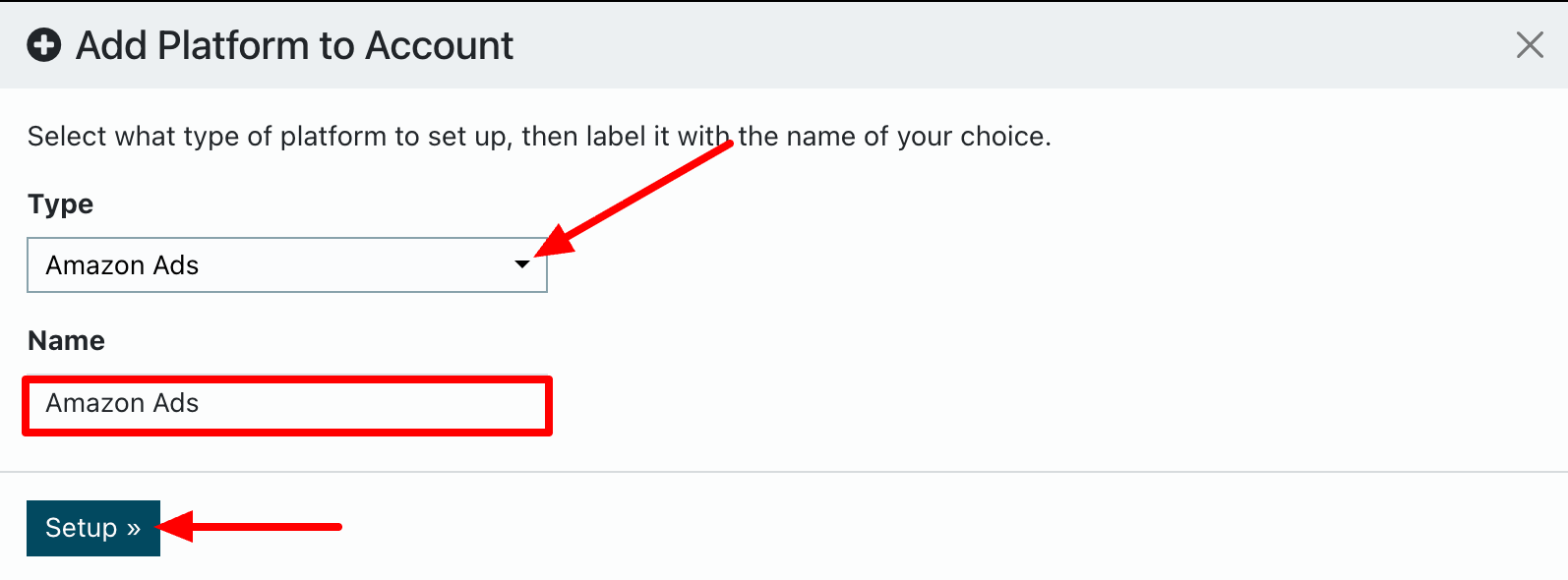
- Select Amazon Ads as the platform and enter a recognizable platform name, such as Amazon Ads.
- Click Setup to continue.
- Note: To be on the safe side, log out of all your Amazon accounts. Then, log in only with the Amazon Ads account you want to link to ProfitWiser.
- Click " Connect with Amazon Ads." An Amazon pop-up will appear asking you to confirm the connection.
- Once the integration is complete, you will be automatically redirected to the Overview tab. ProfitWiser will now begin retrieving ad data going back up to 2 months. This process may take 24 to 48 hours.
- Go to the Amazon Ads tab. If you see the message “Connected to Amazon Ads with …, ” the connection has been successfully established.
- Follow the steps until you can add a platform.
- Select " Bol Sponsored Products " as the platform and enter a recognizable platform name, such as " Bol Ads."
- Click Setup to continue.
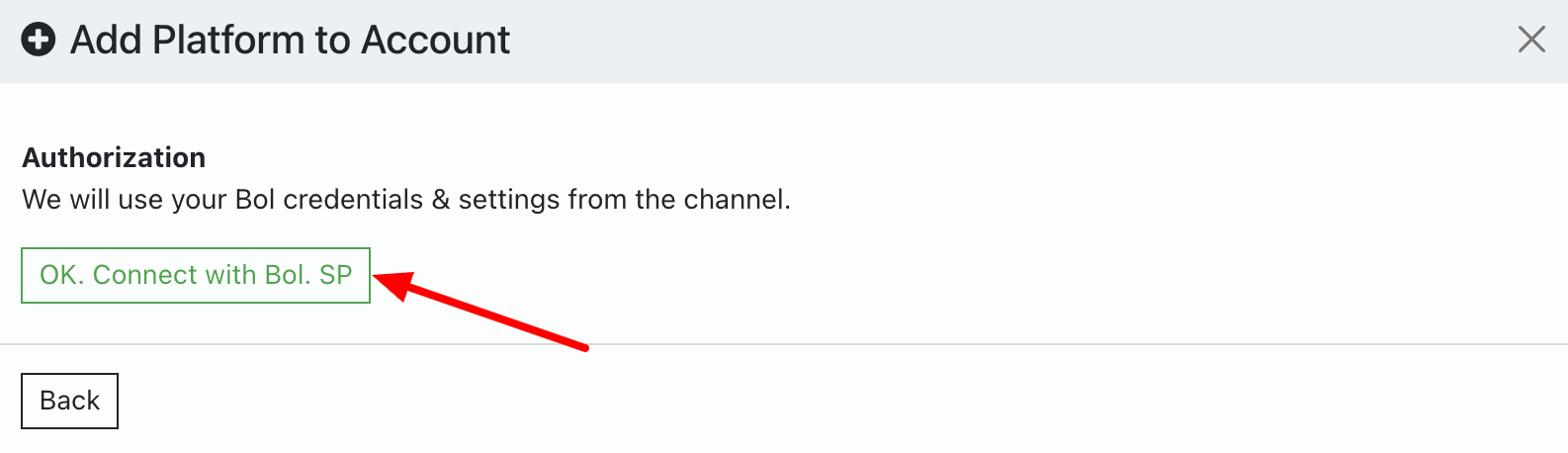
- Click OK. Connect with Bol. SP
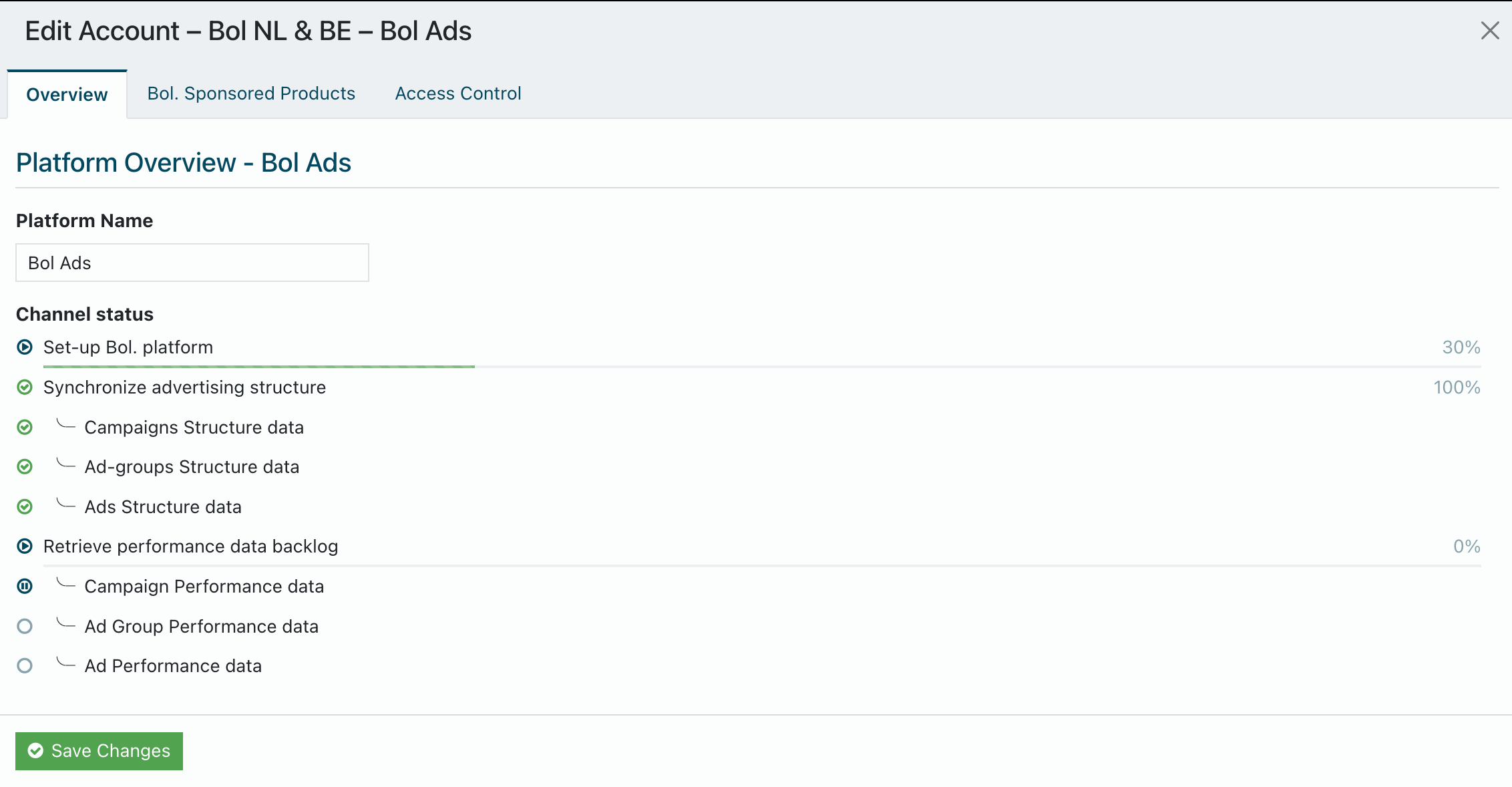
- You will be automatically redirected to the Overview tab. ProfitWiser will now begin retrieving ad data going back up to 2 months. This process may take up to 24 hours.