Log in at suite.profitwiser.com. On this page, you can log in in one of the following three ways:
We do not store any login credentials when using these login methods. The account and channel information is linked to the selected login method.
Once you're logged in, you'll see the following screen:

You must follow these 4 steps to get the most out of ProfitWiser:
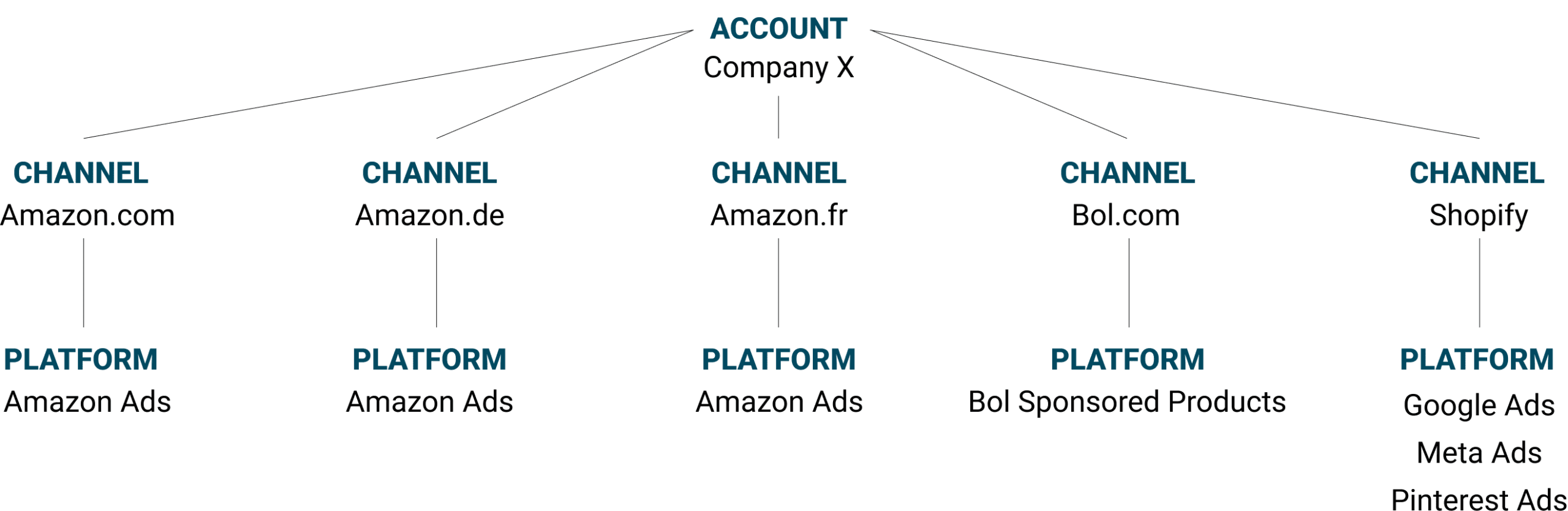
The image below shows how a single account can consist of multiple channels, with each channel linked to one or more platforms. It is important to keep this model in mind, because ProfitWiser’s navigation and functionality are entirely based on it. Settings, data, and insights are always applied at the appropriate level: account, channel, and platform.